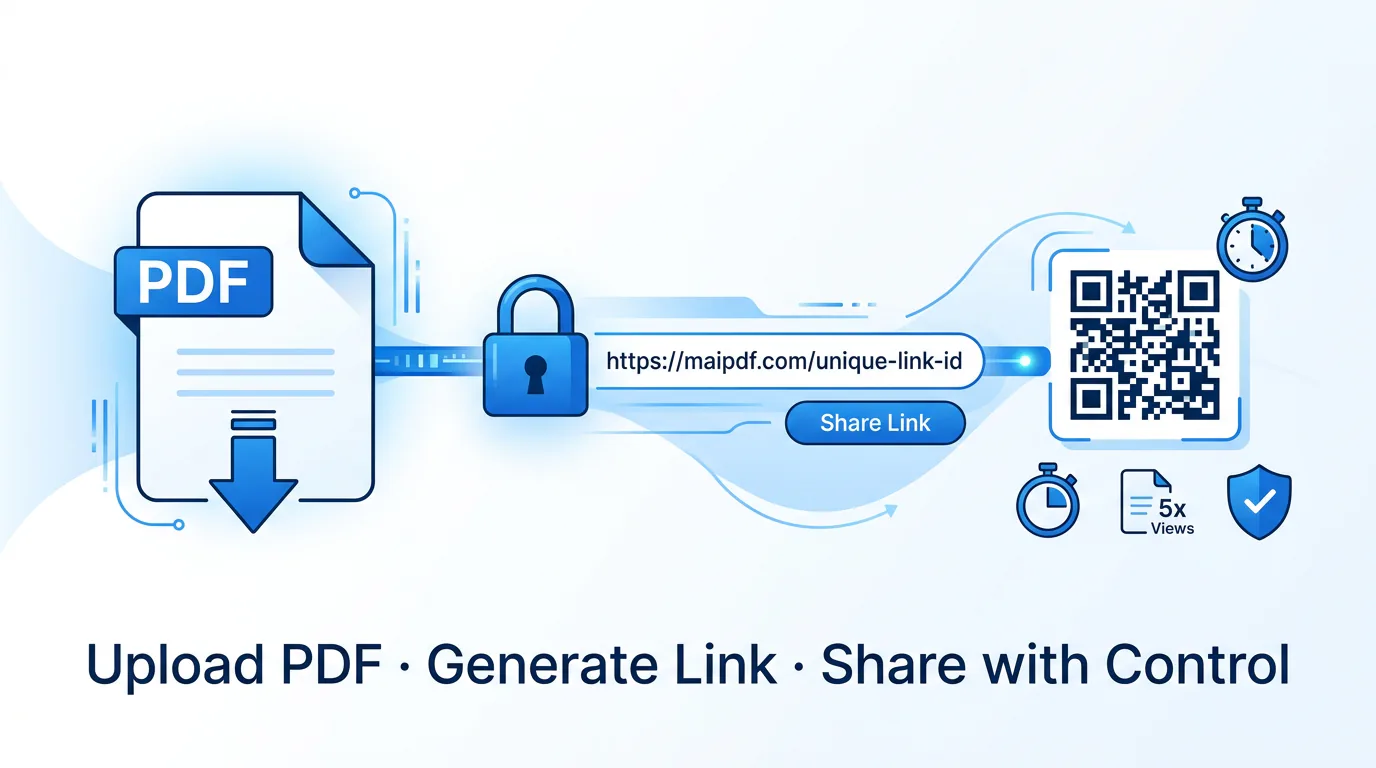
Upload, set rules, get a link and QR. Designed for fast browser distribution with expiry, open limits, email verification, watermarks, records, and replacement.
Tool Comparison
MaiPDF Online Sharing
MaiPDF App DRM
Digify / Locklizard
MaiPDF vs Digify vs Locklizard — which fits your use case.
This is an honest comparison, not a promotional one. All three tools solve different problems, and picking the wrong one wastes time and money in both directions.
MaiPDF now has two serious routes: Online Sharing for fast browser links and QR codes, and App DRM for encrypted .maipdf delivery with anti-screenshot controls, device binding, revocation, and virtual-machine blocking. Digify is strongest for sales analytics. Locklizard remains a dedicated DRM stack for organizations that already want its reader and licence model.
Online Sharing
App DRM
Anti-screenshot
Deliver encrypted .maipdf files with app-based opening, anti-screenshot protection, device binding, revoke access, and virtual-machine blocking.
Digify fits sales analytics and team workflows. Locklizard fits established DRM deployments built around its viewer, licensing model, and compliance process.
Browser-based
.maipdf App DRM
Anti-screenshot
Where MaiPDF is different
MaiPDF separates fast link sharing from stronger App DRM. Pick the browser route for reach, and the app route for controlled .maipdf opening.
Where others still fit
Digify is still the cleaner answer for sales engagement analytics. Locklizard still fits teams that already want its dedicated DRM ecosystem.
Quick Decision
Choose the right tool for your situation
Three-column guide: which tool fits which scenario best, before diving into the detailed tables below.
Choose MaiPDF
Everyday document sharing
You want to share PDFs with a link or QR, know if they were opened, set an expiry, and keep a simple access log. No budget for a paid tool. Readers should not have to install anything.
Choose MaiPDF
Flyers, event programs, physical distribution
The document needs both a clickable link and a QR code for print surfaces. You want to be able to update the content without reprinting or resending. Access records are a bonus.
Choose Digify
Sales proposals with engagement tracking
You need to know which pages a prospect spent time on, set automatic expiry for proposals, manage a team workspace, and see per-viewer analytics reports — not just a raw open count.
Choose Digify
Investor data rooms and due diligence
Multiple sensitive documents shared with multiple parties. You need audit logs, watermarking per viewer, NDA gates, and a clean room-style environment — features beyond what MaiPDF offers.
Choose App DRM
High-value intellectual property
You publish training manuals, eBooks, or technical documentation that should open only in a controlled reader. MaiPDF App DRM packages the file as encrypted .maipdf, adds anti-screenshot controls, and can bind access to specific devices.
Evaluate Locklizard
Established enterprise DRM programs
Government, legal, or training teams may already require a specific DRM vendor, licence server, or audit process. In that case, compare Locklizard against MaiPDF App DRM on deployment, device control, reader experience, and support requirements.
Deep Comparison
MaiPDF vs Digify
Eight rows covering the key differences between MaiPDF's sharing/control routes and a sales-analytics document platform.
| Dimension | MaiPDF | Digify |
|---|---|---|
| Sharing model | Online Sharing gives a hosted link + QR. App DRM gives protected .maipdf delivery when a file package is required. |
Link-based share with data room options. Paid plans; no comparable free tier for ongoing use. |
| Reader setup | Online Sharing opens in any browser. App DRM opens in the MaiPDF app when stronger controls are worth the install. | Browser-based with optional email identity verification. No install required either, but email gates are common. |
| Access rules | Expiry, open count limit, email verification, QR output, and FenceView as an older screen-capture deterrent (browser-level friction, not a block) App DRM, device binding, and virtual-machine blocking. | Expiry, email gating, watermarking, and NDA gates. More granular team-level permission controls available. |
| Analytics depth | Per-share open log: timestamps, total opens, verified reader emails. Telegram alerts for real-time notification. | Per-page engagement heatmaps, time-on-page, per-viewer breakdown, team dashboard, and export reports. |
| Team features | Individual share management. No shared team workspace or role management in the current product. | Team workspaces, role-based access, shared analytics dashboard, and multi-user account management. |
| Pricing tier | Free tier covers basic use. Paid plans for advanced features. Lowest entry cost of the three. | Per-seat SaaS pricing. No permanent free tier. Aimed at professional teams with budget. |
| Reader experience | Clean browser viewer. Link and QR available. No branding customization on free plan. | Polished viewer with branding options. More professional presentation for client-facing proposals. |
| Update workflow | Replace the file on the hosted page — link and QR stay the same, no resending needed. | Document version management built into the workspace. Multiple versions can coexist with rollback. |
MaiPDF is the better default when you want either fast hosted sharing or stronger App DRM without buying a sales-analytics platform.
Digify is worth the cost when per-page engagement analytics and team collaboration are actively used — not just nice-to-have.
Either can be used alongside the other for different document types within the same organization.
Deep Comparison
MaiPDF vs Locklizard
Seven rows covering the difference between MaiPDF's Online Sharing + App DRM model and Locklizard's established DRM ecosystem.
| Dimension | MaiPDF | Locklizard |
|---|---|---|
| Reading environment | Two choices: browser viewing for Online Sharing, or the MaiPDF app for encrypted .maipdf files when stronger control is needed. |
Dedicated Safeguard PDF viewer with licence-based document opening, usually chosen as a full DRM system. |
| DRM strength | Online Sharing controls the hosted link. App DRM uses encrypted .maipdf packaging, app-only opening, anti-screenshot behavior, device binding, revocation, and virtual-machine blocking. |
Encrypted PDF with licence-based unlocking, print/copy rules, and mature DRM administration around its viewer and server stack. |
| Copy / print control | Online viewer removes obvious download/print paths. App DRM adds protected-window capture blocking and controlled opening for delivered files. | Print and copy permissions are set in the licence and enforced by the dedicated viewer. |
| Offline viewing | Online Sharing is web-first. App DRM is the route to evaluate for controlled package delivery and offline-style handoff requirements. | Supports licensed offline viewing in its viewer, useful for teams that already manage that deployment model. |
| Deployment | Online Sharing needs no deployment. App DRM requires readers to install the MaiPDF app. | PDF server or cloud platform, reader software distribution, and licence management for each recipient. |
| Compliance use cases | Best for teams that want practical document control without adopting a large DRM platform. Confirm formal compliance requirements separately before use. | Used in legal, government, defence, and medical sectors where encrypted delivery and audit trails are required. |
| Watermarking | Dynamic watermark draws a per-open code in the hosted viewer. The code resolves to that open’s record — the verified email address if email verification was on, plus IP, browser and time in every case. | Forensic watermarking baked into the encrypted PDF — survives screenshots and printouts in some configurations. |
MaiPDF Online Sharing is appropriate when reach and speed matter; MaiPDF App DRM is appropriate when the file needs controlled app opening.
Locklizard is appropriate when a team wants its established viewer, licence server, and DRM administration model.
The useful comparison is deployment fit: browser link, MaiPDF app/.maipdf, or Locklizard's full DRM stack.
Honest Assessment
Where MaiPDF fits — and where it does not
No tool is right for every situation. Here is an honest two-sided view of where MaiPDF belongs and where it falls short.
MaiPDF is a good fit when
- You want to share a PDF via link or QR without asking readers to install anything.
- You need basic access controls: expiry, open limit, email verification, view mode.
- You want a simple open log to see if the file was read, without complex analytics.
- You need QR output for print distribution alongside a digital link from the same upload.
- Budget is limited and a free tier covering core use is important.
- You want to update the PDF without resending a link — replace the file, same URL stays.
Consider another tool when
- You need per-page engagement analytics, time-on-page data, or heatmap reports for sales teams.
- Your organization has already standardized on a specific DRM vendor, licence server, or compliance procurement process.
- Compliance documentation (HIPAA, SOC 2, ISO 27001) requires certified audit trails, BAAs, or encrypted delivery.
- You need enterprise SSO, team workspaces, role-based administration, or IT-controlled deployment.
- The document must be governed by an existing enterprise offline licence workflow.
- You require forensic watermarking that survives screenshots or printouts for legal tracing purposes.
Feature Spec Sheet
MaiPDF features — what each one does
A quick-reference sheet for the access controls and companion features available on MaiPDF shares.
| Feature | Status | Description |
|---|---|---|
| Expiry date | Available | Set a calendar date after which the link and QR stop working. No manual intervention needed after setting. |
| Open limit | Available | Cap the total number of opens allowed for a share. Once the limit is reached, the link deactivates automatically. |
| Email verification | Available | Require readers to prove control of an address you approved at upload — up to 50, matched in full, no domain wildcards. Only a listed address receives the 6-digit code. The verified address appears in the access records. |
| QR output | Available | Generates a scannable QR code from the same share as the link. Both point to the same hosted PDF and share the same rules. |
| Dynamic watermark | Available | Overlays a code unique to that open while the PDF is being viewed. A leaked screenshot carries the code, and the code names who opened it — the verified email address when verification is on, otherwise the IP, browser and time of that session. |
| Read alerts | Via Telegram | Sends an instant Telegram message when the PDF is opened. Complements access records for real-time awareness of each read event. |
| Fence view | Available | An older view mode that lays a moving mesh over the page to make casual screen grabs less useful. Still available and still working, but no longer what we recommend — if screenshots are the actual worry, App DRM is the route that blocks them at the operating system. Adds friction, not a cryptographic lock. |
| Access records | Available | Per-share log showing open timestamps, total open count, and verified reader emails if email verification is enabled. |
FAQ
Common questions about MaiPDF vs alternatives
Is MaiPDF free?
MaiPDF has a free tier that covers basic hosted PDF sharing with link and QR output. Advanced features such as email verification, extended access records, and higher file counts require a paid plan. Digify and Locklizard are paid products without a comparable permanent free tier for regular use.
Does MaiPDF require reader accounts?
No. Readers open the hosted PDF in a standard browser without creating an account, installing an app, or registering on MaiPDF. This is one of MaiPDF's main practical advantages over Locklizard, which requires installing a desktop viewer before any document can be opened.
Can MaiPDF prevent downloading?
MaiPDF Online Sharing shows the PDF through a browser viewer rather than handing over the raw file, which removes the obvious download path. For stronger delivery, MaiPDF App DRM packages the document as encrypted
.maipdf and opens it inside the app with anti-screenshot behavior, device binding, revocation, and virtual-machine blocking.Is MaiPDF suitable for enterprise?
MaiPDF fits teams that want either fast Online Sharing or stronger App DRM without adopting a large sales-room or legacy DRM platform. If your organization requires SSO, shared team workspaces, role-based administration, or formal compliance procurement documents, compare those requirements directly against Digify, Locklizard, and MaiPDF before deciding.
How does MaiPDF compare on price?
MaiPDF is the lowest entry cost of the three, with a usable free tier. Digify is a mid-market SaaS product with per-seat pricing aimed at sales and marketing teams. Locklizard is typically the most expensive, reflecting its stronger DRM, server infrastructure, and compliance focus. The right tool is the cheapest one that actually meets your requirements — not the cheapest one overall.
Can I use MaiPDF for HIPAA or compliance documents?
MaiPDF does not market itself as HIPAA-compliant and does not provide the audit trails, BAA agreements, or encryption documentation required for regulated healthcare data. For HIPAA, SOC 2, or ISO 27001 compliance requirements, evaluate Digify's enterprise tier or a purpose-built compliance document platform before using MaiPDF for those specific workflows.
What analytics does MaiPDF provide?
MaiPDF provides per-share access records showing open timestamps, total open count, and (when email verification is enabled) confirmed reader emails. It supports Telegram read alerts for real-time open notifications. It does not provide per-page engagement heatmaps, time-on-page data, or the audience analytics dashboards that Digify offers — if those matter to your workflow, Digify is the more appropriate choice.
Can I use MaiPDF alongside Locklizard or Digify?
Yes. The tools are not mutually exclusive. A common pattern is MaiPDF Online Sharing for quick links and QR codes, MaiPDF App DRM for protected
.maipdf delivery with anti-screenshot and device controls, Digify for sales analytics, and Locklizard for organizations already standardized on its DRM viewer and licence stack.
Beyond The Browser · App DRM
Want the operating system itself to refuse the screenshot?
Link sharing protects the file inside the browser. The MaiPDF app goes one level deeper: it hands the document to a native reader that asks the operating system to mark the window as protected. A screenshot or screen recording comes back black — and the reader still reads the page normally, with no overlay in the way.
FLAG_SECURE; on Windows, WDA_EXCLUDEFROMCAPTURE; on macOS the window’s sharingType is set to none; on iOS the content is rendered through a layer the system excludes from capture.What the app adds on top of link sharing
- OS-level capture block: the screenshot and screen recording come back black — no overlay, no reading friction. One exception worth knowing: on iOS, while a screen recording or AirPlay mirror is actually running, the app covers the page for the reader too, rather than letting it stay visible on a screen that is being broadcast.
- Encrypted
.maipdfcontainer: AES-GCM 256-bit; the file only opens inside the app, never as a raw PDF on disk. - Traceable watermark: every page carries a faint tiled code tied to that reader and device, and it cannot be switched off. If a page is photographed and leaks, the app’s Trace watermark tool takes the code off the image and tells you who opened the file, when, and on which device.
- Device binding & revoke: tie a file to a device and cut off access at any time, even after delivery.
- Hostile-environment block: refuses to open on rooted, jailbroken, or virtual-machine setups where capture is trivial.
No reading friction.
Screenshot returns black.
Every page watermarked.
Where the app is stronger
- The OS refuses the capture instead of relying on something the eye can read around.
- Screen recording is blocked at the source, not just covered frame by frame.
- Reading stays comfortable — the page is fully visible, no moving overlay.
- Protection travels with the file, not just with the browser link.
What it still cannot stop
- An external camera pointed at the screen — no software stops that.
- Unsupported, rooted, jailbroken, virtualized, or policy-bypassing environments should be blocked instead of trusted for sensitive files.
- It needs the reader to install the app, so it is for high-sensitivity files, not casual shares.
- Like any single control, it is one layer — pair it with watermark, expiry, and records.
Start Here
Try MaiPDF for everyday PDF sharing.
If link-based sharing with basic access controls, QR output, and an open log matches your use case, MaiPDF covers it for free. If you need more, the comparison above points you in the right direction.