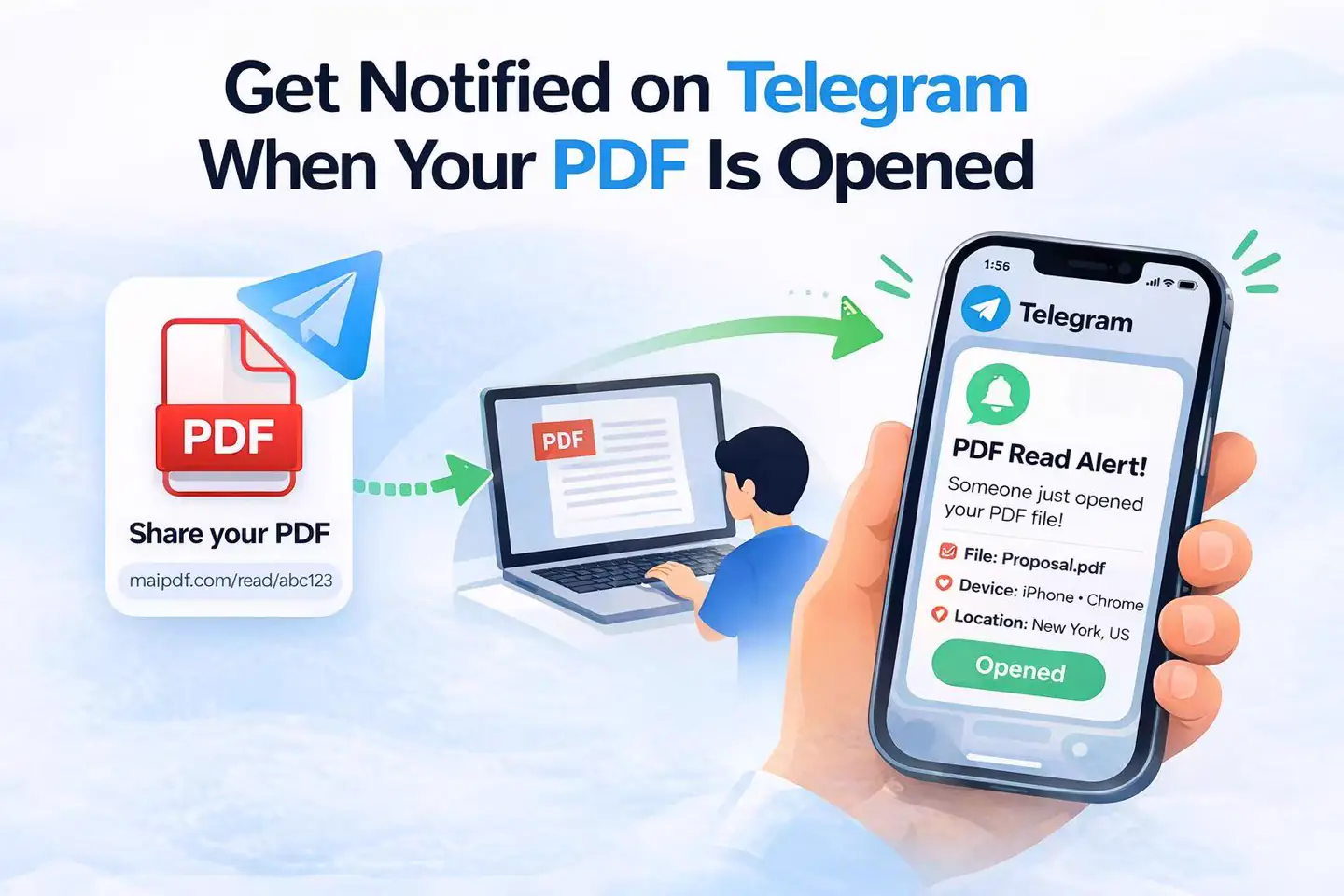
A successful open of the shared PDF page sends a Telegram alert to your linked chat.
Telegram Read Alerts
What triggers it
What stays in MaiPDF
Limit to know
Know when your PDF is opened.
MaiPDF can send a Telegram notification when someone opens the shared PDF link, while the same share keeps a full access history in records.
This works best when timing matters: proposals, contracts, applications, course packs, or any document where you want a quick follow-up signal plus a permanent log.
Telegram notice
Open history
Same shared-page flow
The share keeps an open history for later review, reminders, and internal follow-up.
Telegram alerts are available when the share's open limit is below 10,000.
Telegram notice
Open records
Single share flow
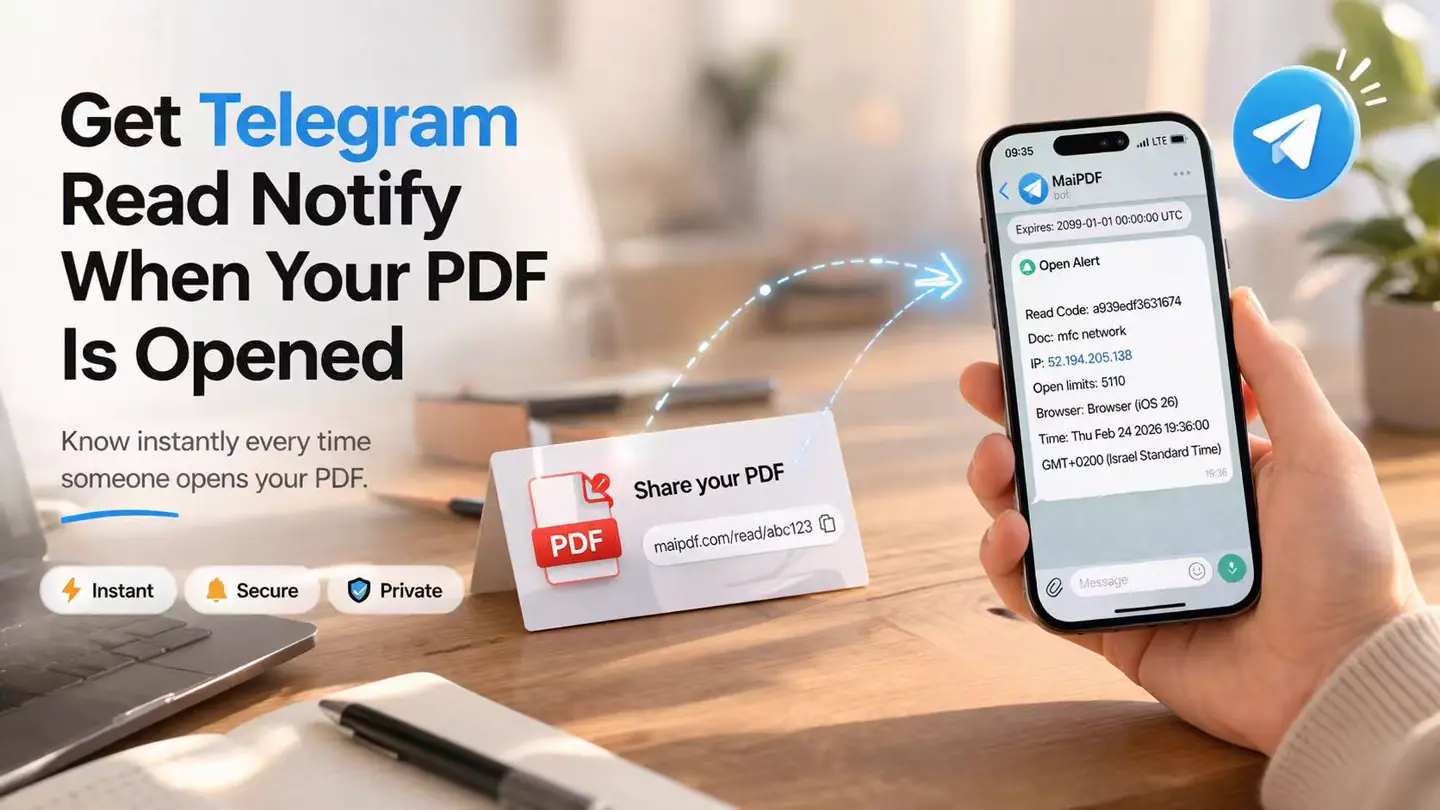
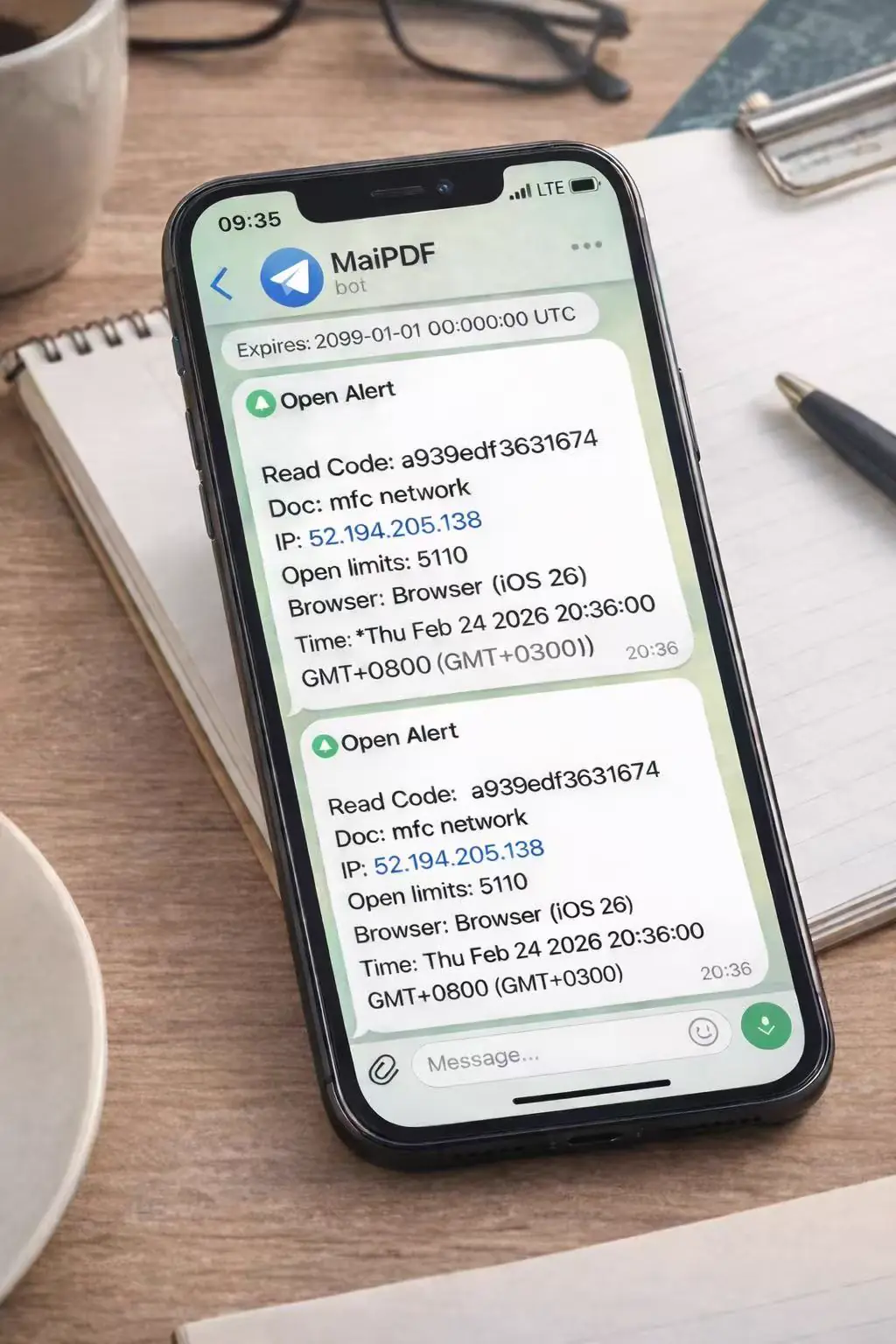
Quick notice
Use Telegram for fast timing. Use records when you want a longer view later.
Open-based alert
The alert starts when the shared PDF page is opened, not from how someone reads through each page.
When It Helps
Use it when opening time matters.
This feature is most useful when you care about whether the document was opened yet, not just whether the link was sent.
Sales proposals
If a quote or proposal is opened, you have a better idea of when to follow up instead of guessing.
Contracts and agreements
If a contract has not been opened after a few days, that is a useful signal to send a reminder.
Job applications
If a resume or portfolio is opened, you know the application reached a real review stage.
Course materials
For reading packs or training documents, alerts and records can show which shares were actually opened.
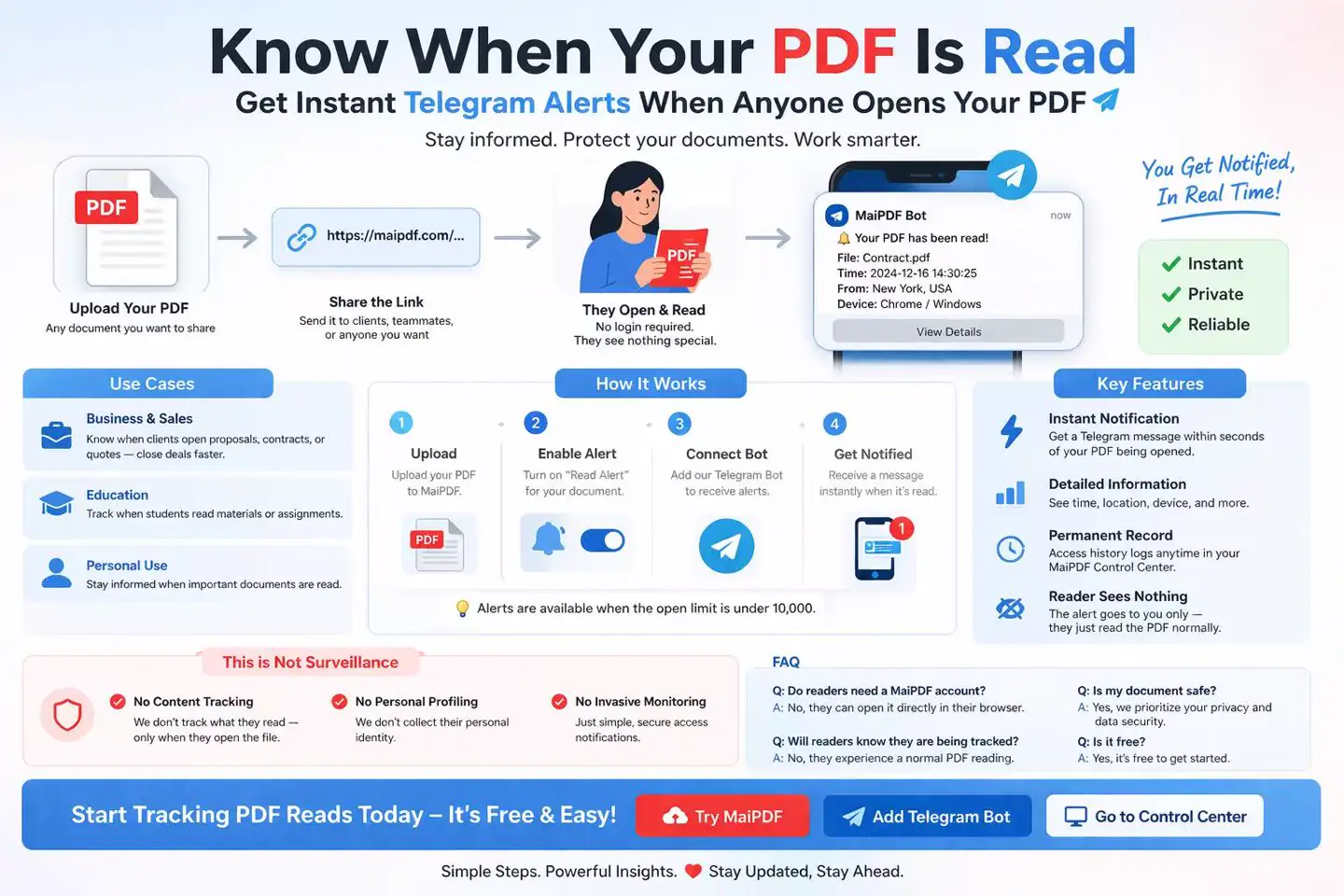
Setup
Connect Telegram once, then reuse it.
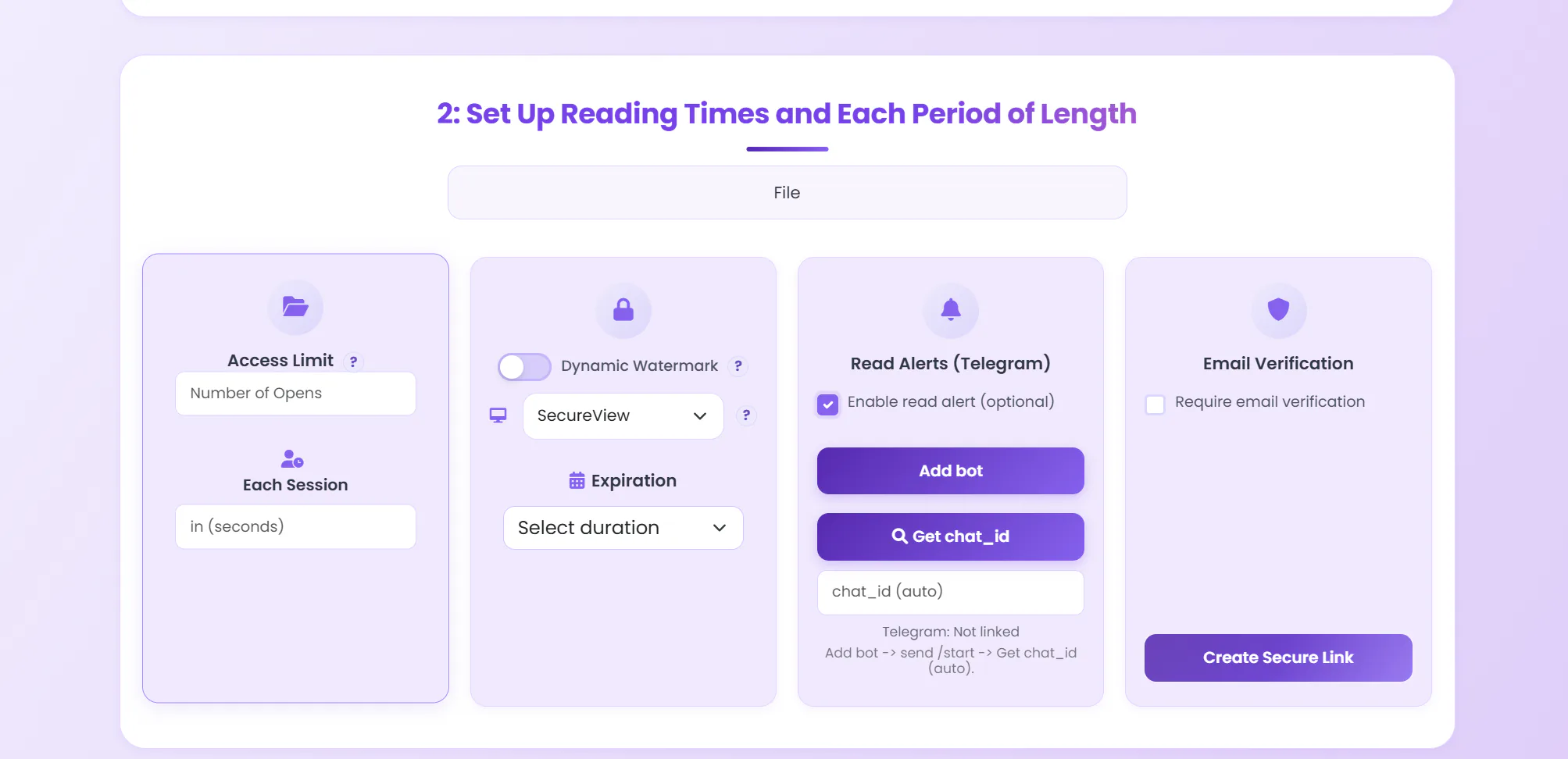
The setup is short: enable read alerts, add the bot, send /start, then fetch your chat_id on the create-link page.
1
Enable read alert
On the MaiPDF create-link page, turn on the Telegram read alert option for the share.
2
Add the bot
Open @maipdfbot in Telegram and start the conversation if you have not done that before.
3
Send
Send /start
This lets the bot recognize your Telegram chat so alerts have a destination.
4
Get the chat_id
Back on the MaiPDF create-link page, click Get chat_id next to the Telegram field. The bot returns a number — paste it in and finish creating the link.
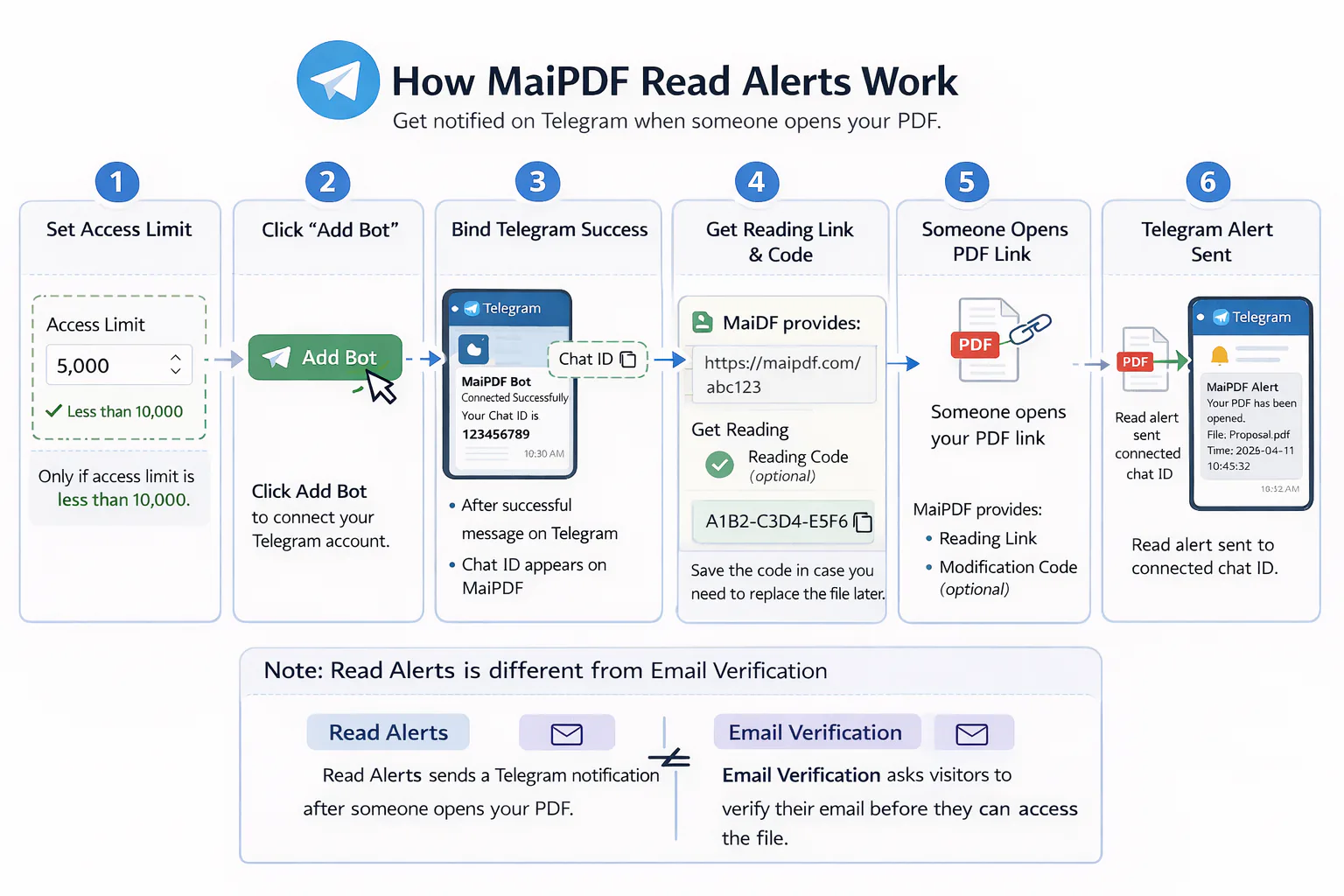
What to verify before sharing
- The Telegram bot is active in your chat and not blocked.
- The share has read alert enabled before you create the link.
- The open limit is below 10,000 if you want Telegram messages.
- If you need alerts on an older share, create a new link with alerts enabled.
Telegram gives the quick signal.
Access records keep the full history.
Both stay attached to the same share.
Alert Vs Records
Use Telegram for timing and records for history.
The two outputs are related but not identical. Telegram is the immediate signal. Records are the longer trail you can review later.
Immediate follow-up signal
- Best when you want to act soon after the PDF is opened.
- Useful for proposals, contracts, and other time-sensitive follow-up.
- Sent to the Telegram chat you linked during setup.
Longer activity history
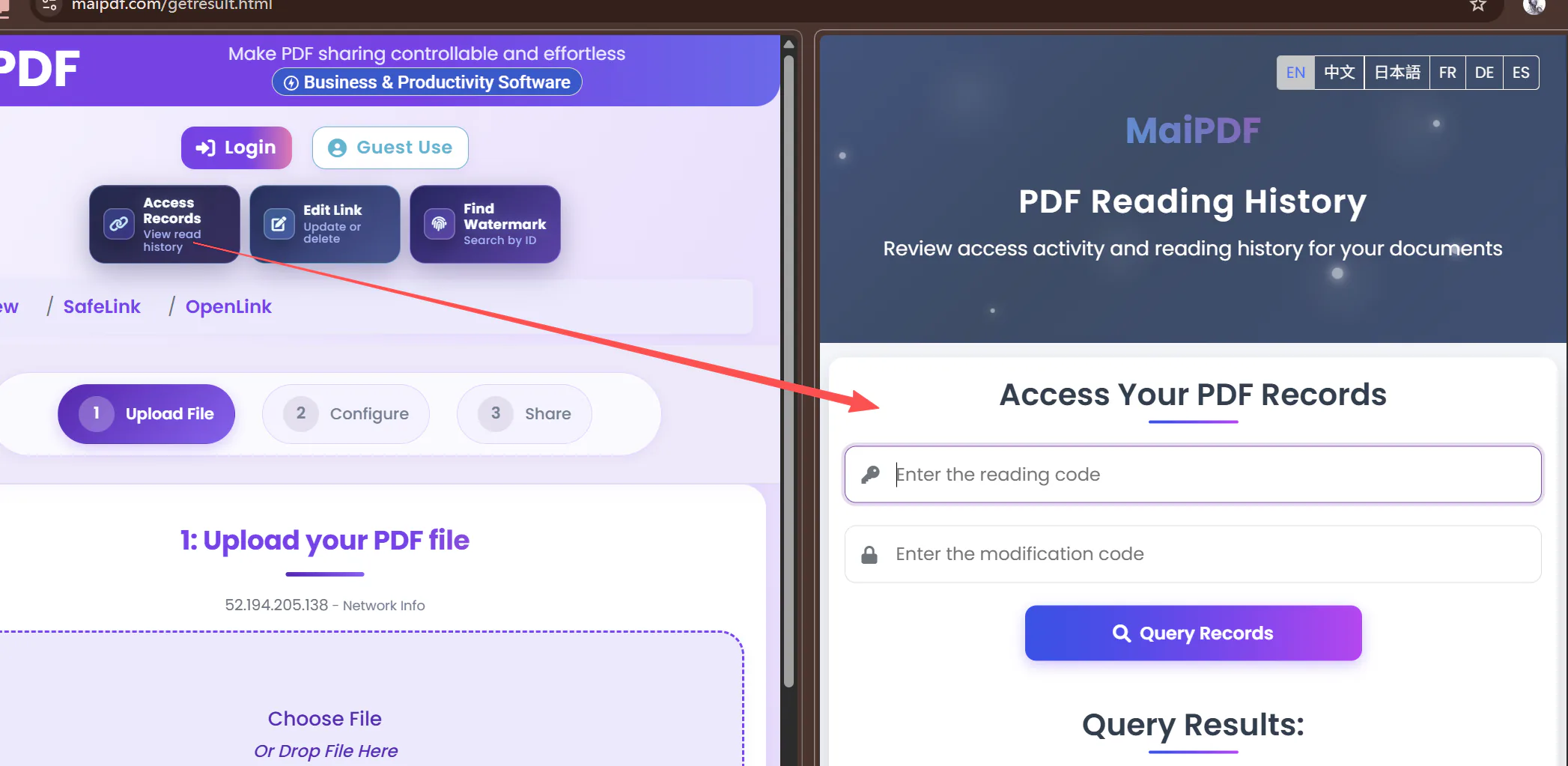
- Best when you want a full list of opens and later review.
- Useful for repeated opens, trend checking, and manual follow-up.
- Still available even if you are not looking at Telegram at that moment.
FAQ
Common questions before you enable it.
These are the questions that usually matter most before someone turns read alerts on for a real share.
Why would I want read alerts?
They help when timing matters. If a proposal or contract has already been opened, that is a useful follow-up cue. If it has not been opened yet, that is useful too.
Does the reader know a Telegram alert was sent?
The alert goes to your linked Telegram chat. The reader continues using the shared PDF page as usual.
What appears in the Telegram message?
A short message tied to the open event. The exact details can vary by share settings, but the point is fast notification rather than full reporting.
Can I add alerts to an existing link?
Not to a link that was already created without alerts. If you need Telegram alerts, create a new share link with read alert enabled.
Do records still exist without Telegram?
Yes. Access records remain the main activity history. Telegram is the instant layer on top of that.
Is there a usage limit?
Telegram alerts are available when the share's open limit is below 10,000. Records continue to log activity regardless.
Can I get read alerts by email instead of Telegram?
Not on maipdf.com. Email alerts were removed entirely and will not be brought back, because automated notification email is routinely classified as spam — an alert sitting in a junk folder is worse than no alert, since you believe you are covered when you are not. Telegram is the only channel here. The Chinese site maipdf.cn does send email alerts, because Telegram is not reachable in mainland China, but most of those land in spam too; that is a known limitation and is not being worked on, so whitelist
[email protected] or do not rely on it. App DRM has no alerts at all — it records Open events on the licence page for you to check yourself. In every case the access records are the reliable layer, since they do not depend on a message reaching you.
Which Channel, And What Is Gone
Telegram is the only alert channel here — and that is deliberate.
Alerts differ across the three MaiPDF routes, and one channel has been retired outright. Worth knowing before you rely on being told.
Telegram only
- Connect
@maipdfbotat upload; the alert fires the moment the file is opened. - Email alerts have been removed entirely and will not be brought back. They are not a fallback, not an option, not planned.
- The reason is deliverability: automated notification email is routinely classified as spam, and an alert that lands in a junk folder is worse than no alert — you think you are covered when you are not.
- Alerts require the share’s open limit to be below 10,000. Above that the link is in unlimited mode and neither records nor alerts run.
Email, but expect the spam folder
- Telegram is not reachable inside mainland China, so the Chinese site sends alerts by email instead.
- In practice most of these land in spam, not the inbox. This is a known limitation and is not being worked on — fixing deliverability properly means paying for a dedicated sending service, which is not planned.
- If you want them, whitelist the sender
[email protected]first. Without that, assume they will not arrive. - Better advice: treat the email as a bonus and rely on the access records, which are complete and unaffected by mail delivery.
No alerts at all
- The app has no notification feature. Nothing is pushed when a protected file is opened.
- What it does have is Open events on the licence page — who opened it, when, on which device. You go and look; it does not come to you.
- If being told in real time matters more than capture protection, that is an argument for Online Sharing on maipdf.com rather than App DRM.
The reliable layer is records, not alerts. All three routes keep a complete open history that does not depend on a message reaching you. Alerts are a convenience on top; only the Telegram one is dependable.
Product boundary · Online Sharing vs App DRM
Use the browser for reach. Use the app for capture protection.
Everything on this page describes online sharing — a link opened in an ordinary browser. A browser cannot refuse an operating-system screenshot, so no online setting blocks Win+Shift+S or a phone screenshot; what it gives you is reach, records, and rules you can change after sending. When you need the capture itself blocked — encrypted .maipdf files, device binding, remote revoke — that is MaiPDF App DRM, a separate route where the reader installs an app.
Start Here
Set up one link and test it on your own PDF.
Upload a PDF, enable the Telegram alert, connect the bot, and send yourself a test open. That is the quickest way to confirm the whole flow works the way you expect.